
This time, herein is my science monologue featuring “Scratch” programing.
If some kids around you have some interests about science, then maybe ——- the programing interests them. I think Scratch can be a kind of educational tool as introduced by the organizer.
Also, for me programing is like preparing food.
When I am building “program”, my consciousness gets calm and tranquil but energetic at the same time, leading toward a feeling of creation. And the best of all, I can set aside negative sort of things that are haunting my daily life especially anything of my frustrating job, for a short period of time though.
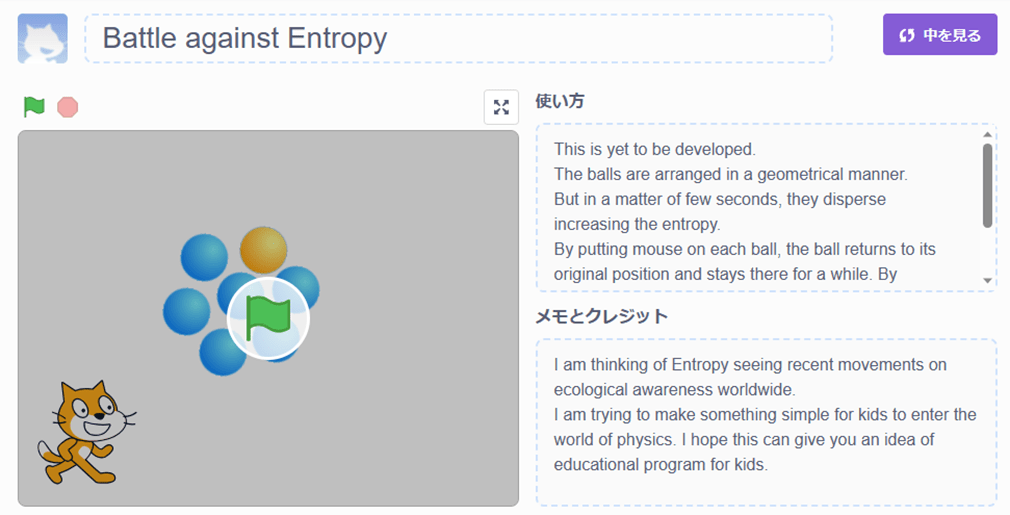
Below is a program which I tried to visualize something of Entropy with, although it is not really of anything sophisticated.
First of all, click the graphic image or web link below.
Then, the web page of the “Scratch” programing which I built will appear on your screen.
By clicking the green flag at the center of the graphic image or at the left upper in the web page, the program starts. (By clicking the red button next to the green flag, the program stops)
After clicking the green flag, just wait for a while (around 5 seconds) until balls start moving. Then, the balls randomly move anywhere causing disorder (Entropy increases) in their geometrical arrangement, then by putting the mouse (or your finger in case of touch panel) on each ball, it returns to the starting point so that you can recover the initial orderly manner but then after a period of time disorder will start again.
Your effort to regain the orderly manner is increasing the total entropy of space (universe) in a form of heat radiation from your body, the heat that is generated by your mouse-clicking-muscle and brain activity, although on the screen the order regains again and again.
……… Follow the instruction described in a text box at the right side.
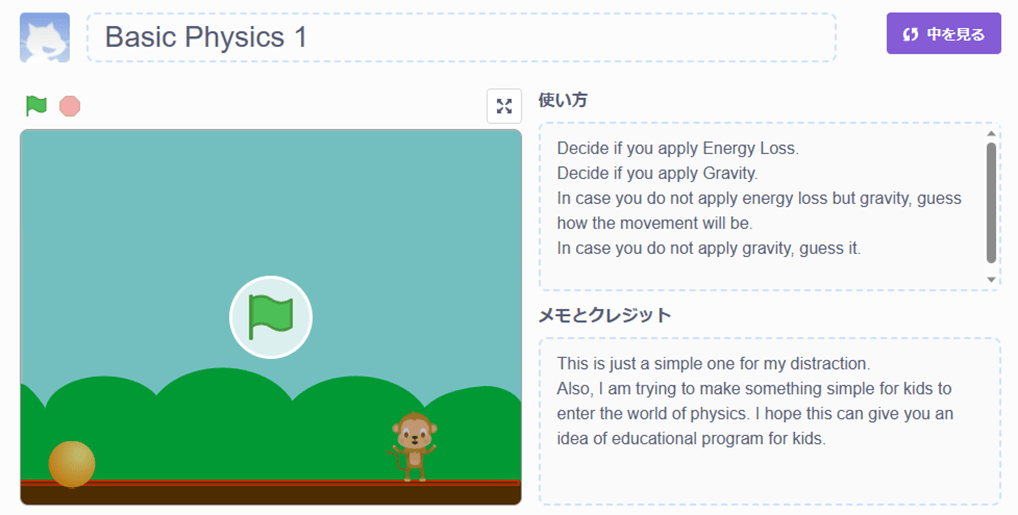
Next one is a program that represents basic matter of physics. It represents how a ball (mass) moves when it is thrown vertically under the earth gravity and how it bounces on the ground then how the movement gets weakening because of energy loss due to bouncing. In the program, follow the instructions that will appear on the screen.
If you for instance choose “not applying Gravity”, the ball will never return to the ground.
If you do not apply Energy Loss, then the movement will last until you stop the program.
(By clicking the red button, the program stops)
Next time, —– I don’t know when, anyway, I want to challenge parabola movement.
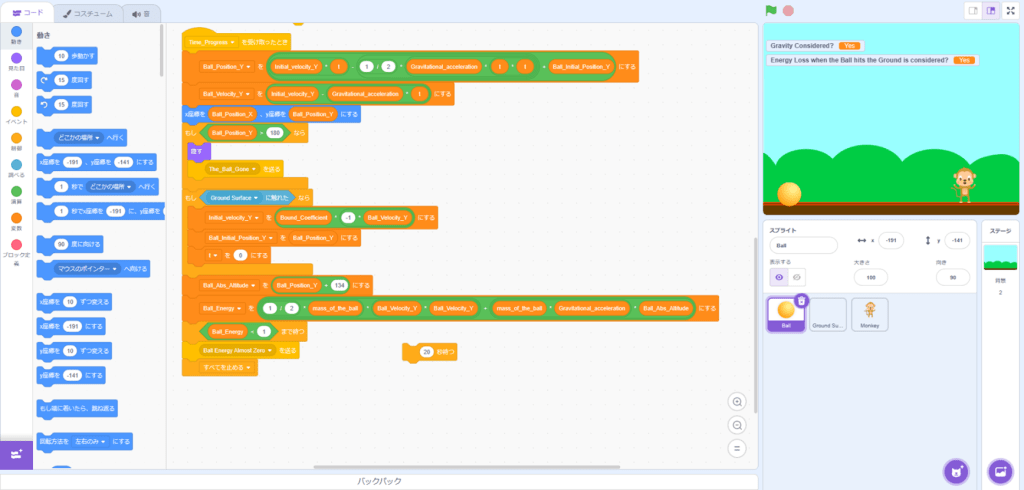
Scratch programing provides a platform in which ones can visually and intuitively build a program. Below is the graphical image of the platform. For kids, it will be good entry to practicing something of logical-thinking or constructing algorism.
Programming, to think about controversial issue of AI
Then, the prominent issue now is AI.
I am not the sort that considers it as “intelligence”, it should rather be considered as just simply big data processor.
Experiencing what “programming” is all about could possibly provide an opportunity of thinking about how the border line between human and machine should be defined, I think, though in an amateur way.

 科学好きの独り言 Science Monologue